04 AI-assisted application tool · 2026

ExResume.

A Chrome side-panel extension that matches application fields to saved resume evidence, drafts longer answers through a user-chosen provider and fills only explicitly selected responses.

Role
Product design · Extension development
Focus
Privacy · Evidence · User control
Status
Completed
Case / 04

ExResume / Chrome side panel

Version 1.4.2
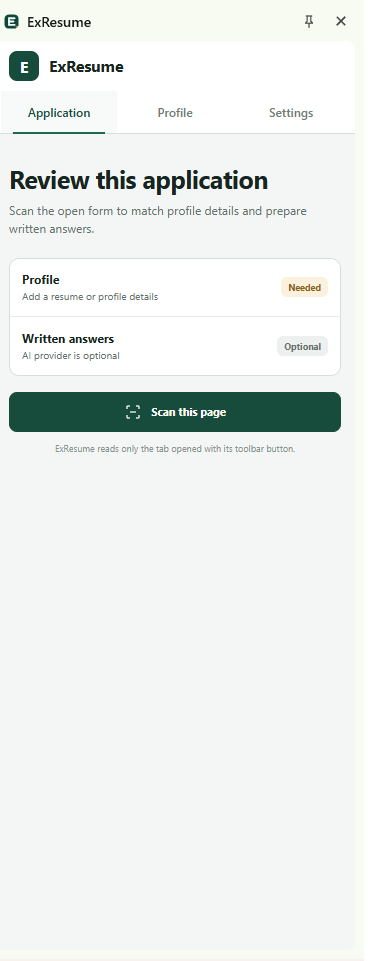
ExResume application review page
01 Application
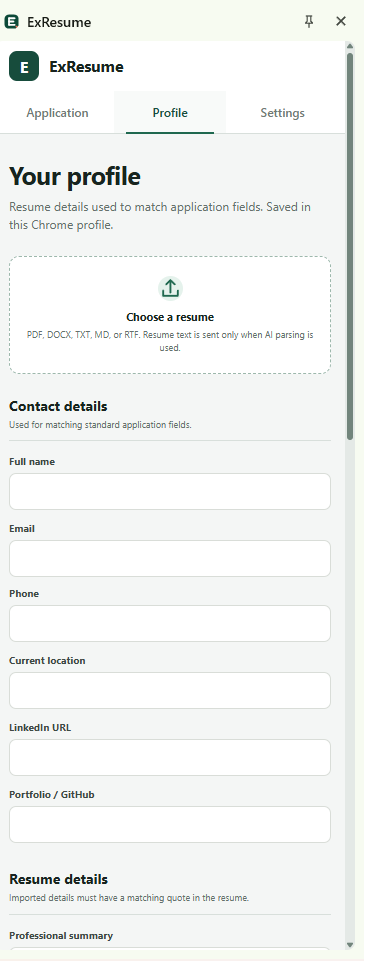
ExResume resume profile page
02 Profile
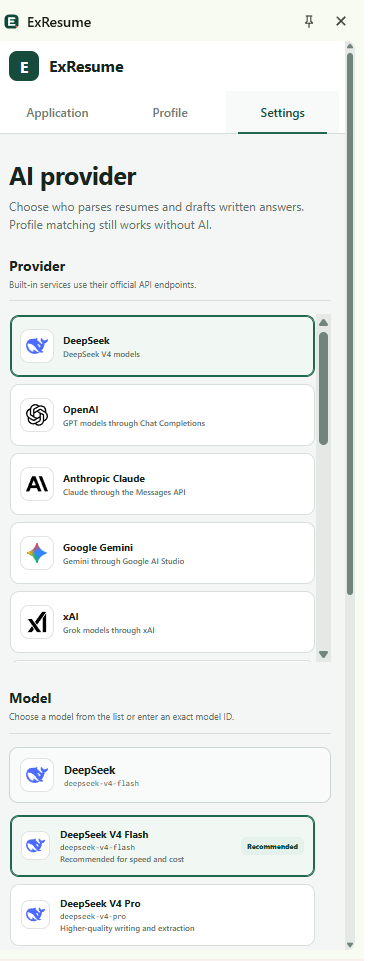
ExResume AI provider settings page
03 Settings
Application review, resume evidence and provider controlsDirect captures · 13 Aug 2026

Upload once.
Apply with context.

Each page has one clear responsibility. The user supplies the source material and keeps the final decision; ExResume handles the repetitive matching between the resume and the open application.

  1. 01UploadChoose a resume
  2. 02ProfileReview extracted details
  3. 03ScanRead the open form
  4. 04SelectApprove the answers
  5. 05FillWrite selected fields
ExResume profile page with resume upload and contact detail fields
Profile / Resume evidence

01 Start with the resume

The profile fills itself from one upload.

Choose a PDF, DOCX, TXT, MD or RTF resume. ExResume extracts the document, populates supported identity, contact, skills, education and resume-history fields, then saves the profile automatically in Chrome.


ExResume application page ready to scan the open job form
Application / Review and fill

02 Scan the current application

Relevant details meet the right fields.

After the profile is ready, the user opens a job application and selects Scan this page. ExResume identifies supported form fields, matches direct profile details and retrieves relevant resume excerpts for longer written questions.

ExResume settings page showing AI provider and model choices
Settings / Optional AI

03 Connect a provider only if needed

Profile matching works without AI.

Direct resume-to-field matching is available without a provider. If the user wants resume parsing assistance or drafted narrative answers, they can choose their own provider and model from the Settings page.

ExResume / End-to-end workflow

MP4 demo
Review the workflow from profile setup to selected-field fillingUser-controlled · No auto-submit

Useful automation.
Human decisions.

ExResume scans a job application only after the user opens the extension, classifies supported fields and prepares suggestions from a locally saved career profile. Longer answers remain tied to the resume excerpts used to draft them.

The extension never submits an application. File inputs, sensitive declarations and unsupported controls remain manual, while API keys live in session storage and are cleared with the Chrome session.

01

Evidence grounded

Resume-derived details require matching source quotations, keeping generated claims inspectable.

02

Selected filling

Only answers the user reviews and selects are written into the open application form.

03

Local by default

Profiles stay in Chrome storage, while provider keys are separated into temporary session storage.

Built for the
browser boundary.

The extension combines a focused React interface with deterministic field matching, local evidence retrieval and provider-specific AI adapters behind a Manifest V3 service worker.

01React

React 19

Side-panel workflows for applications, career profiles and provider settings.

02TypeScript

TypeScript

Typed page analysis, evidence, suggestions and provider contracts.

03MV3

Chrome Manifest V3

Active-tab scanning, side-panel UI, scripting and narrowly scoped permissions.

04RAG

Local retrieval

Keyword-ranked resume excerpts support narrative answers without a vector database.

05AI

BYOK providers

Native adapters for major AI services plus validated OpenAI-compatible endpoints.

06VT

Vitest

Automated coverage for scanning policy, providers, storage and resume processing.

The completed extension is packaged as a loadable Chrome release with a sample application, installation flow and documented privacy and security boundaries.

13Built-in AI providers
05Resume file formats
00Automatic submissions

Case studies / 04

Back to the
selected work.